Windows · Windows 10 and 11 (64-bit)
Yaddasht
Notes, checklists and reminders, synced with Google Drive.
A Markdown note-taking app with tickable checklists and reminders (Persian or Gregorian calendar). Notes are plain .md files, and signing in with Google keeps them in sync across all your computers.
750,000 Toman / year · Yearly renewal: 750,000 Toman
Already bought it? Renew your license · Track an order
What it does
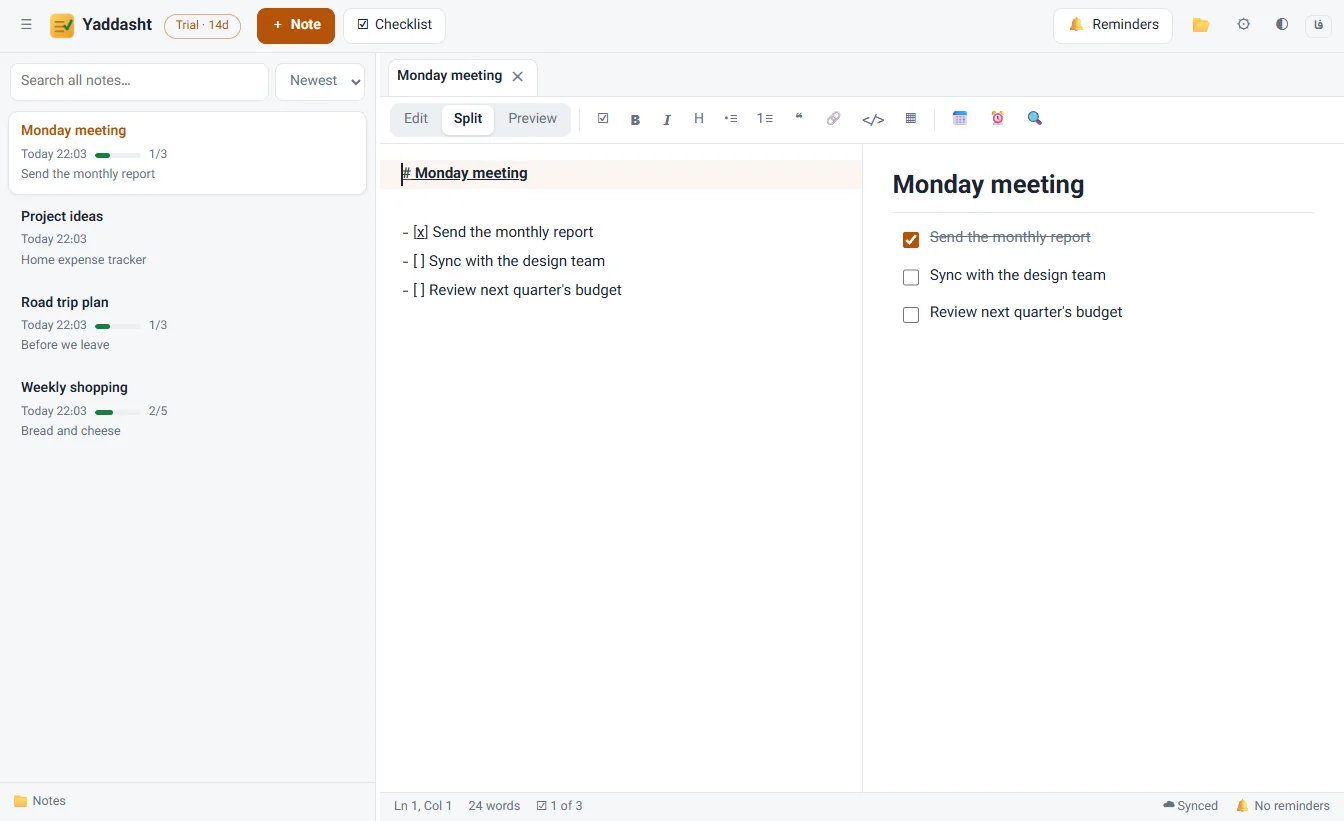
- Real checklists Ctrl+L turns any line into a checklist item; tick it with one click in the preview. Each note's progress shows in the list.
- Reminders Set a reminder for a note or a single line, with daily, weekly, monthly or yearly repeats. The app stays next to the clock so reminders arrive on time.
- Google Drive sync With “Sign in with Google”, notes and reminders are kept in a Yaddasht folder in your own Google Drive and appear on every computer you sign in on.
- Right-to-left done right Direction is detected per line and paragraph, so Persian text with English words stays readable.
- Tabs, search and pins Several notes open in tabs, search across all notes, pin important notes to the top, live Markdown preview.
- Quick note from anywhere Press Ctrl+Alt+N in any program to open a fresh note.
- Plain files Every note is a .md file that opens in any editor; nothing is locked in.
Who it is for
For anyone who wants short notes, to-do lists and appointments in one place, and moves between several computers.
Reminders you will not miss
When a reminder is due, a small window with a sound opens in the corner of the screen; mark it done or snooze it for 10 minutes, an hour or until tomorrow.
Install and license
Running it on Windows
- The download is a ZIP: extract it first.
- If your browser asks whether to keep the file, choose “Keep”.
- If Windows shows a security warning on the first run, choose “Run”.
The warning appears because the app isn’t signed with a commercial certificate yet. Only download the file from this site.
How the license works
Every feature is free for 14 days. After purchase you get a one-year license key by email, and it activates without internet. A renewal adds a full year to the current expiry date.
Questions
Where are my notes stored?
In a folder on your own computer that you choose in Settings. If you sign in with Google, a copy is also kept in a Yaddasht folder in your own Google Drive.
Can the app see my other Google Drive files?
No. It uses the drive.file permission, so it can only see files it created itself.
What happens when the trial ends?
Reading, searching and previewing notes stay free and existing reminders keep working; writing, new notes and new reminders need a license.