Windows · Windows 10 / 11 (64-bit)
Peyk
A lightweight, offline API client for when the internet keeps dropping and Postman won't cooperate.
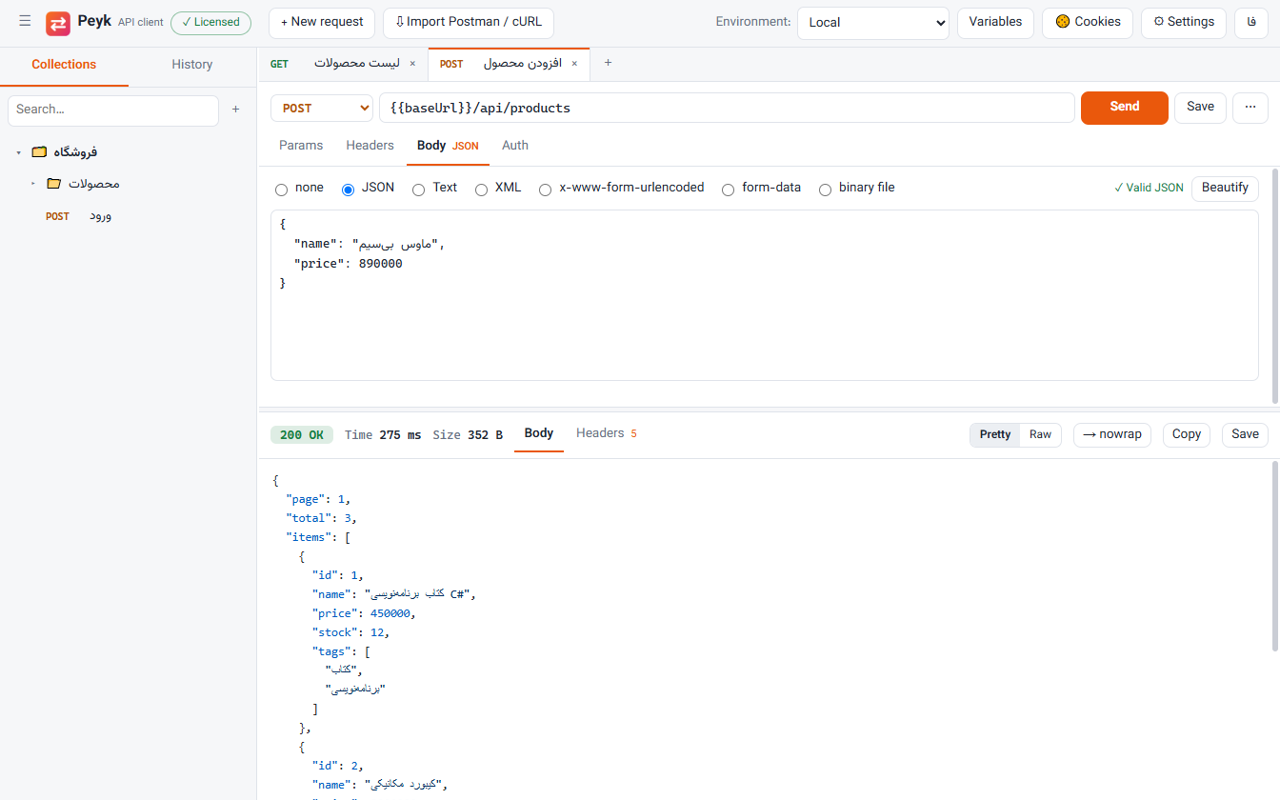
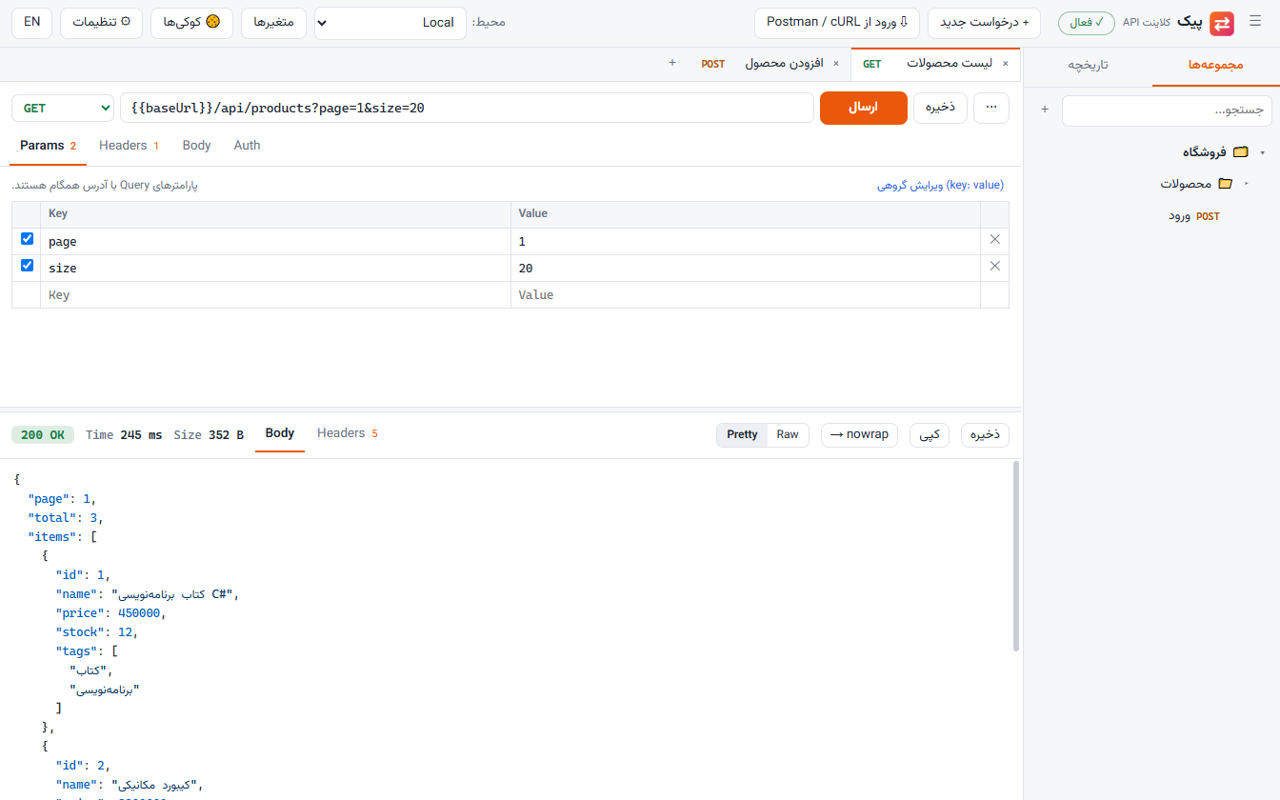
Send HTTP requests without an account or cloud sync: collections, environments and variables, direct import from Postman and cURL, automatic retries when the connection drops, SOCKS5 proxies and precise error messages. English and Persian UI.
900,000 Toman / year · Yearly renewal: 900,000 Toman
Already bought it? Renew your license · Track an order
What it does
- Built for unstable internet If the connection can't be made or drops (DNS, timeout, network down) it retries automatically; server errors such as 500 are never repeated. The error says exactly what went wrong.
- Import from Postman and cURL Bring in Postman collections and environments (v2.0 and v2.1); paste a curl command straight into the URL bar, including Chrome's cmd and bash formats.
- Code generation Get any request as cURL, C# (HttpClient), JavaScript (fetch) or Python (requests); the generated code sends the same request.
- Collections, environments, variables Nested folders, {{baseUrl}} and {{token}} variables, dynamic ones like {{$guid}}, and Bearer, Basic or API key auth inherited from the collection.
- Proxies and SSL The Windows proxy, a direct connection, or any HTTP or SOCKS5 proxy; turn off certificate checks for test servers.
- Cookie jar and readable responses Cookies are kept per domain and sent automatically; JSON and XML are pretty-printed and highlighted, and big numbers keep their precision.
Why I built it
Postman depends on an account and a stable connection. When the internet keeps dropping, the app I only wanted for sending a request becomes slow or doesn't start at all.
Peyk does just what I need every day: send a request, read the response and keep requests organised. Everything is local, and no part of it depends on a foreign server.
What's different
- No sign-up, no cloud: it opens and works.
- Errors you can act on: instead of "Could not get response" it tells you DNS failed, the server refused the connection or it timed out, and how many times it retried.
- English and Persian: the full interface in both languages; Persian text inside JSON responses renders correctly too.
Screenshots
Questions
Where is my data stored?
Only on this computer, in %LOCALAPPDATA%\Peyk. There is no account, no sign-up and no cloud sync.
Can I bring my Postman collections?
Yes. In Postman, export the collection as Collection v2.1 and import the file into Peyk. Environments work too, and Peyk exports in Postman's format.
What happens after the trial?
Collections, environments and history stay available and exportable; only sending requests is locked until you buy a license.
Does it have scripts and tests like Postman?
No. Peyk deliberately focuses on sending requests and reading responses. If you need pre-request scripts or tests, Postman is the better choice.