Windows · Windows 10 / 11 (64-bit)
MdReader
Read and write Persian Markdown without the right-to-left mess.
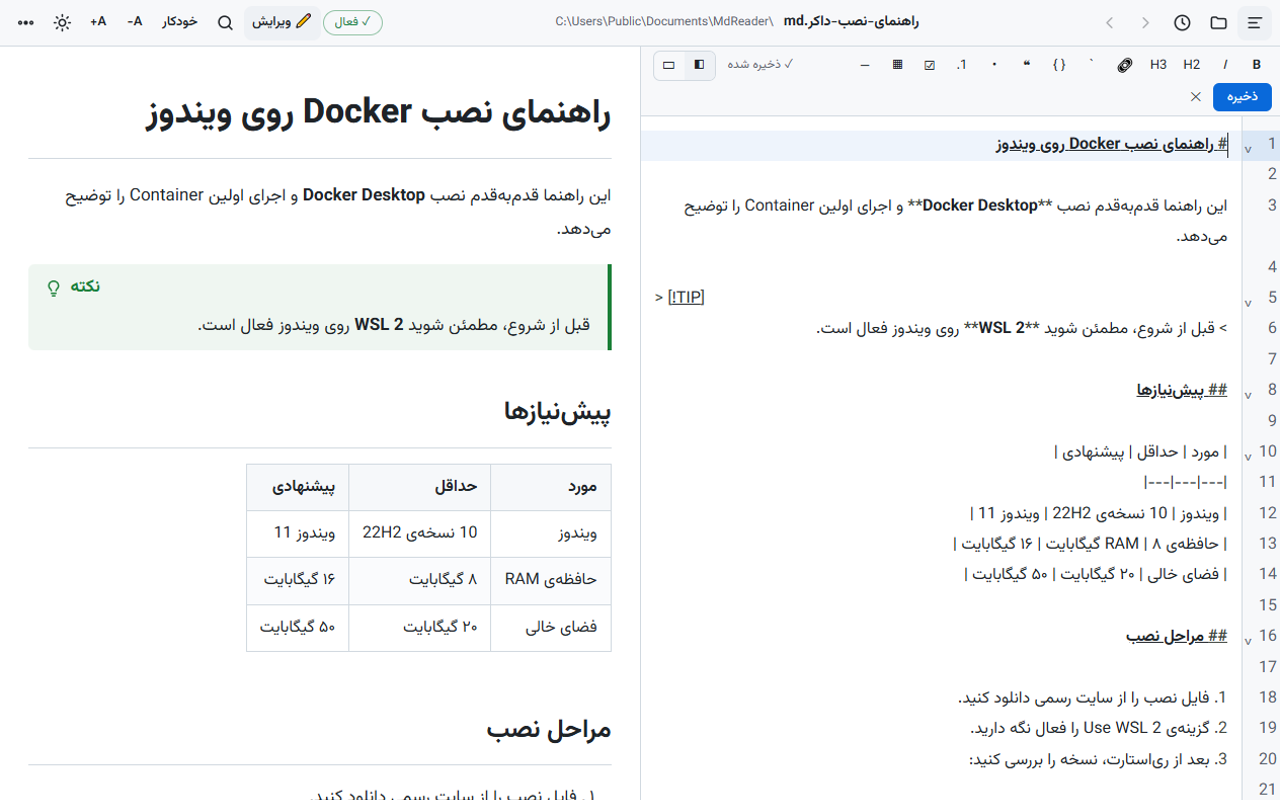
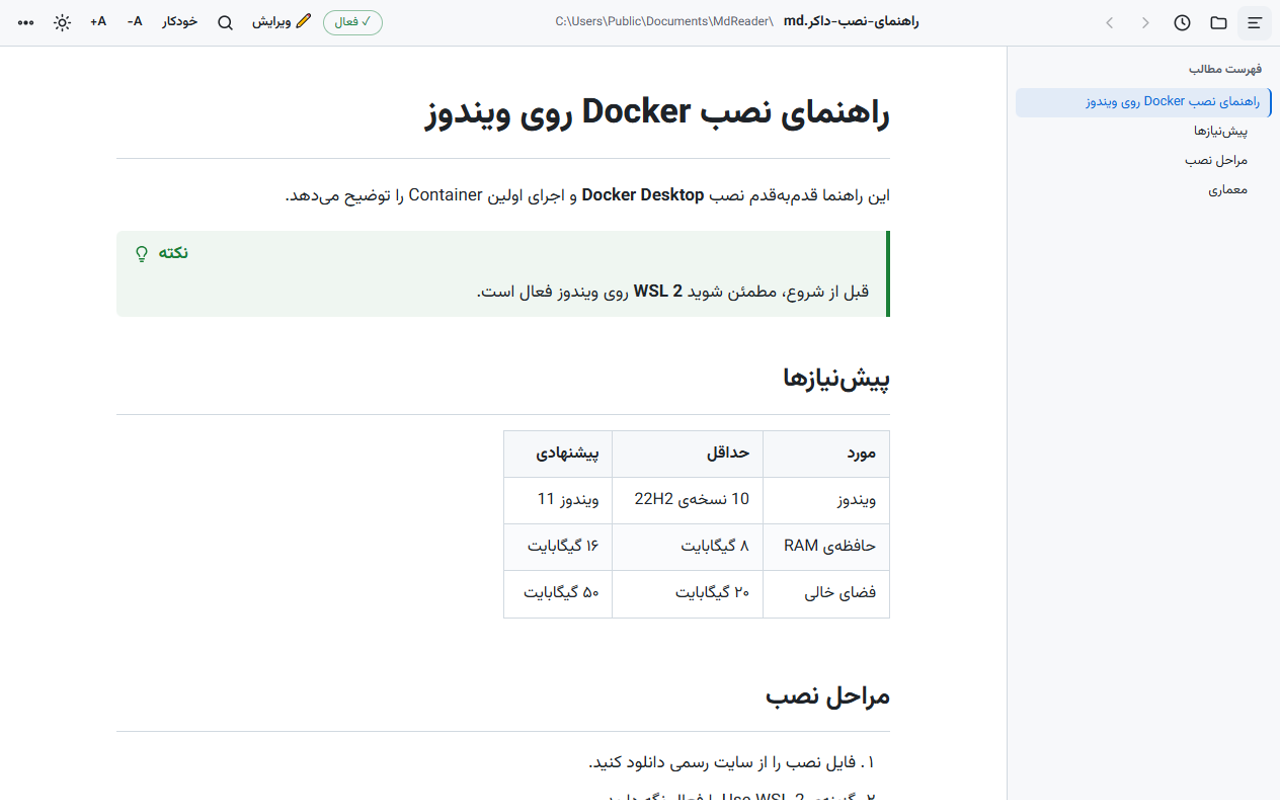
A Markdown reader and editor that works out the direction of every paragraph, list and table cell on its own, so Persian text with English words stays right-to-left. With a table of contents, Mermaid diagrams, maths, PDF and HTML export, and an editor with live preview.
600,000 Toman / year · Yearly renewal: 600,000 Toman
Already bought it? Renew your license · Track an order
What it does
- Smart right-to-left Every paragraph, heading, list and table cell gets its direction from its ratio of Persian to Latin letters, so a Persian sentence starting with an English word stays right-to-left and English paragraphs stay left-to-right.
- Editor with live preview Write on one side and see the result on the other. Each editor line has its own direction too, with a Markdown toolbar and Ctrl+S to save.
- Your file stays as it was Saving keeps the file's encoding, BOM and line endings. Old Windows-1256 files open correctly.
- Full Markdown Tables, task lists, footnotes, GitHub alerts, code highlighting, Mermaid diagrams, maths and front matter.
- Contents and search A side table of contents that tracks where you are, and a search that treats Arabic and Persian «ی» and «ک» as the same.
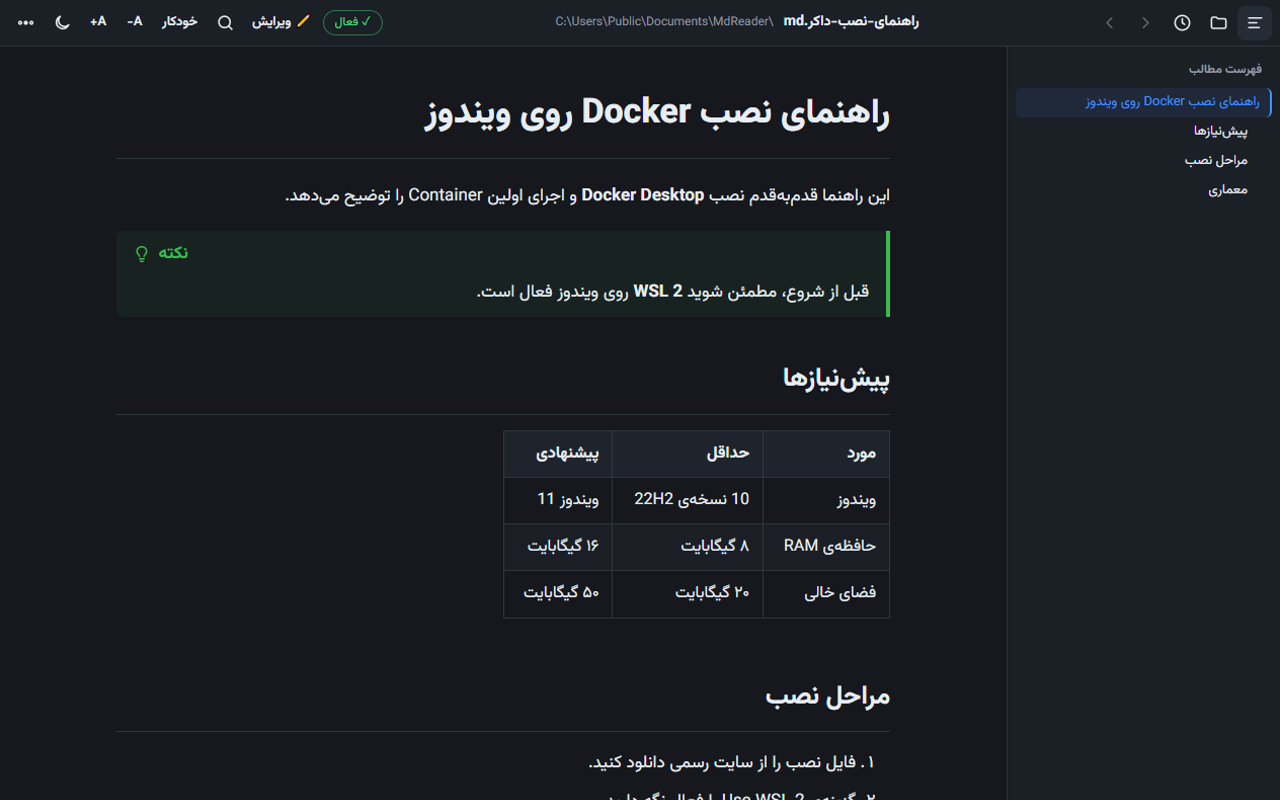
- Export and themes Self-contained PDF and HTML export with the Vazirmatn font, printing, and light, dark and sepia themes.
Why I built it
I write most of my notes and documentation in Markdown, in Persian. The usual tools make a whole document either right-to-left or left-to-right, so a sentence that starts with an English word falls apart, lists flip and tables become hard to read.
MdReader decides for each block separately. The rule is simple: if a block's Persian letters number at least 40 percent of its Latin ones, it is right-to-left.
Writing, not just reading
Ctrl+E opens the editor next to the preview. The editor also gives each line its own direction, shows code blocks left-to-right in a monospace font, and warns you before closing with unsaved changes.
Screenshots
Questions
Does it open .md files on double-click?
Yes. Choose “Default app for .md files” from the app's menu and pick MdReader in the Windows dialog.
What happens after the trial?
Reading files is always free. Editing, saving, new files, printing and PDF/HTML export unlock with a license.
Does it need the internet?
No. The Vazirmatn font, Mermaid, KaTeX and code highlighting are all inside the app, so everything works offline.